
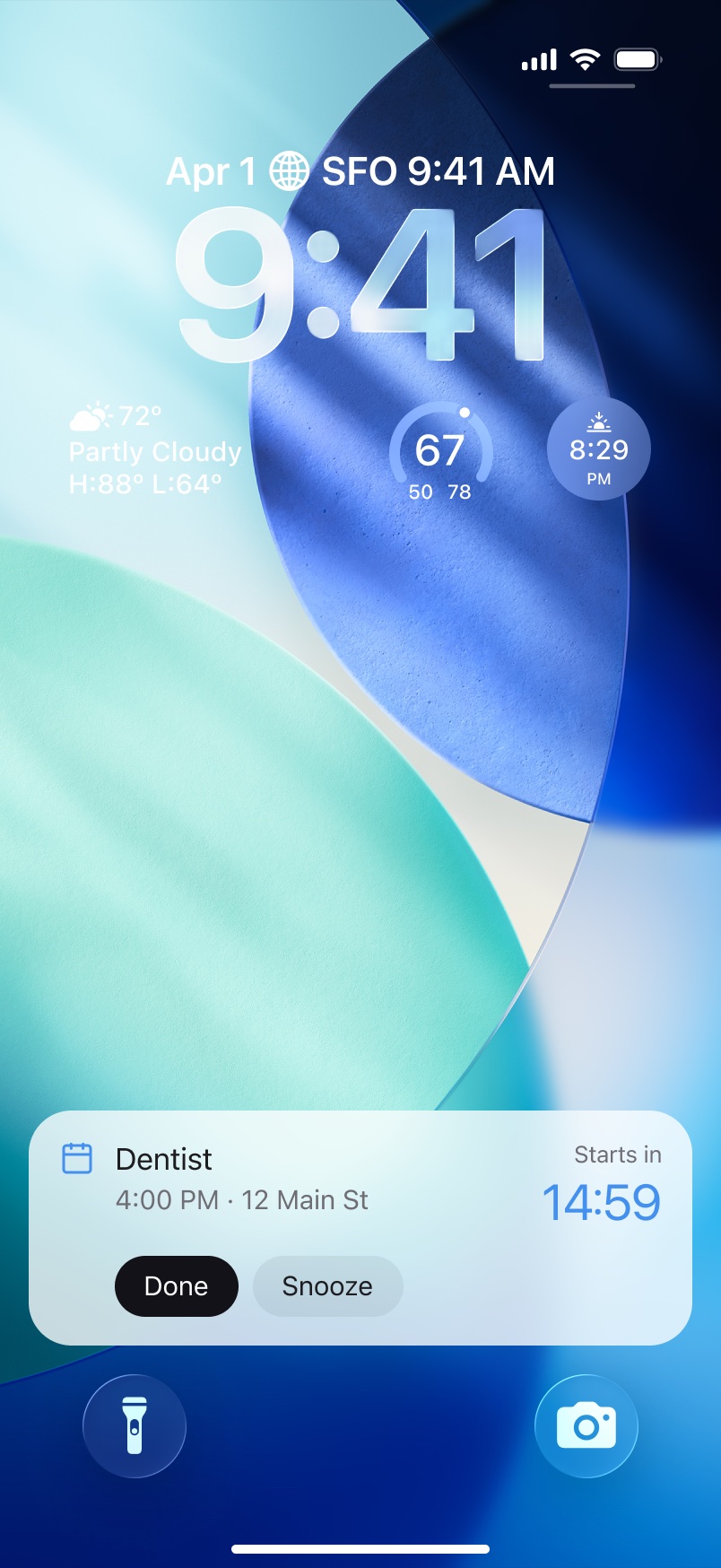
iPhone. Share a screenshot and it reads it for you. Arrive somewhere and the reminder shows up on your Lock Screen.
Meet IntentOS
Freedom from having to remember everything
Type what’s on your mind. IntentOS sorts it and brings it back at the right time or place.
 Download for iPhone Mac coming soon


 Search
 All intents
 Saved places
 Archive
Active
 Call mom @ Home Now
 Dentist in 1d
 Renew passport in 2d
 Trader Joe's 5 items
 Book flights to Lisbon Ask Jonas for studio Wi-Fi
Completed
 Gift for Sam


 New intent
Dentist Calendar


Dentist
Thursday, Oct 15 · 3:00 PM4:00 PM
 Added to Calendar
Edit
Today 9:41 AM
Dentist Thu 3pm, call mom when I get home
Saved for Thursday at 3:00 PM. Want a reminder the day before?
Yes. And move it to 4, they called
Done. It's now 4:00 PM, and I'll remind you Wednesday evening.
Add to this intent… 

The problem
Your to-do list doesn't know where you are.
- Reminders at the wrong moment. The alert goes off in a meeting and gets swiped away.
- Lists you never open. Groceries live in a note you remember at home, not at the store.
- A form for every thought. Date, time, list, place. By the time it's filed, the thought is gone.
Steps
Say it once. It comes back when it matters.
- 01
Say it like you'd text a friend. One message can hold several things.
- 02
IntentOS sorts it. If something's unclear, it asks one short question.
- 03
It comes back when it's useful. At the time or place you named, not in a list.
Intents
One message, the right kind of reminder.
-
Events. “Dentist Thursday at 3” goes straight to your calendar.
-
Reminders. “Renew passport tomorrow morning” reminds you at 9.
-
Places. “Call Hannah when I get home” comes up when you arrive.
-
Lists. “Groceries: oat milk, eggs, sourdough” comes up near a grocery store.
-
Tasks. “Book flights to Lisbon” waits quietly until you're ready.
It comes to you
You don't check it. It finds you.

Editing
Change it by saying so. No forms, no settings.
Type “Actually, call Hannah when I leave work” and the reminder updates. Type “done” and it's checked off.


Call Hannah Place


Call Hannah
When you leave work
On Edit Today 5:12 PM
Actually, call Hannah when I leave work
Done. I'll remind you when you leave work, not when you get home.
Send Sam the deck
You just got to the office
Arrived
9:12
Done Later
What if tasks only surfaced when it was the perfect moment to complete them?
Download for iOS Devices
On your iPhone and your Mac.
Capture on your phone while you walk. Pick it up on your Mac at your desk once the Mac app ships. Sign in with Apple and everything stays in sync.
Apps
Auto


Send Sam the deck Friday, prep standup when I get to the office

Mac, coming soon. Press ⌥ Space in any app to jot something down without switching windows.
Connections
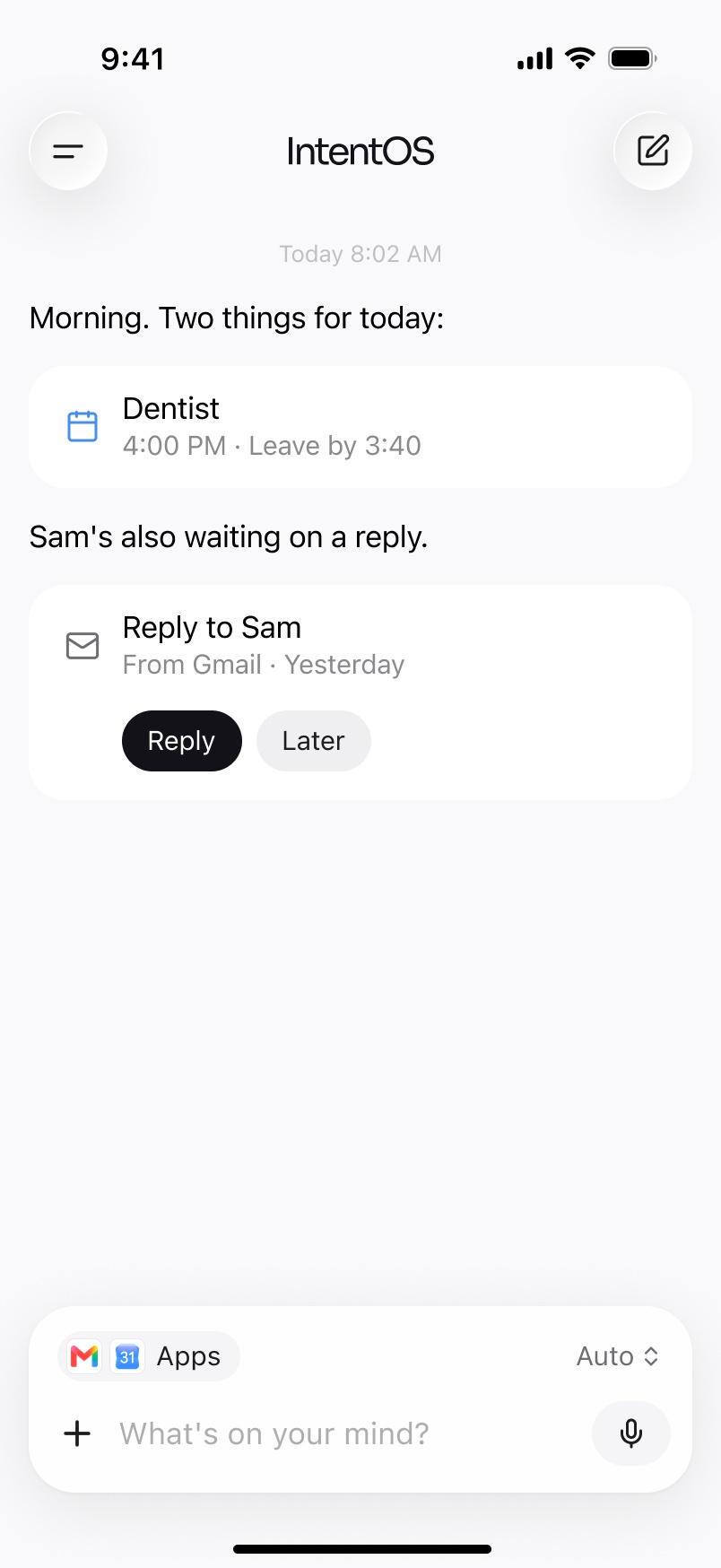
Works with the apps you already use.
Each morning it picks up what needs you. It only reads, never sends.
Privacy
Private by default. Yours to delete.
-
Read-only. It reads your apps. It never posts, edits or sends.
-
On your iPhone. On Free, everyday sorting runs on the device.
-
No ads. Your intents aren't sold or used for advertising.
-
Yours to delete. Wipe everything from Settings, anytime.
Compared
Not another reminders app.
| Feature | IntentOS | Apple Reminders |
|---|---|---|
| Capture | Write it like a text, several things at once | One reminder per form |
| Timing | Reads the time or place from what you wrote | You set the time or place by hand |
| Changes | Say so in the chat | Open it and edit the fields |
| What comes back | One thing, when it's useful | A list you check |
| Your other apps | Checks Gmail and Calendar each morning | No |
Pricing
Free on iPhone. Pro when you want your Mac too.
Free
$0
iPhone
- Sorting on your iPhone, unlimited
- Reminders by time and place
- Live Activities on the Lock Screen
- 10 smart captures a month
Download for iPhone Pro
$7.99 a month
or $59.99 a year, with a 14-day free trial
- Everything in Free
- The Mac app when it ships, synced with your iPhone
- Smart sorting for everything, screenshots too
- A morning check of Gmail and Calendar
- 30 research look-ups a month
Start the free trial Questions
Short answers to fair questions.
- Do I need an account?
- No. Sign in only if you want your iPhone and Mac to share the same intents.
- What happens if it gets something wrong?
- Tap Edit, or just tell it what you meant.
- Does it send messages for me?
- No. It reminds you. You do the talking.
Something else? Write to us.
Stop keeping lists in your head.
Download for iPhone Mac coming soon